
Is a Standing Desk Worth It in 2026?
Table of Contents
- Is a Standing Desk Worth It? The Real Value Proposition
- Health Benefits of Standing vs. Sitting
- How Long Should You Stand at a Desk for Maximum Benefit
- Cost Breakdown: Is the Investment Justified?
- Best Standing Desk Accessories for Comfort and Support
- DSE Assessment Standing Desk Requirements and Compliance
- Common Mistakes When Switching to a Standing Desk
- Conclusion: Should You Make the Switch?
- Frequently Asked Questions
Last Updated: September 27, 2026
Is a Standing Desk Worth It? The Real Value Proposition
Whether a standing desk worth it depends on your specific needs, budget, and how you plan to use it. Whether a standing desk worth it depends on your specific needs, budget, and how you plan to use it.
The truth is more nuanced than the marketing suggests. Standing desks do offer genuine benefits, but they're not a cure-all for sedentary work. The key question isn't whether standing desks work, it's whether they work for your situation and whether you'll actually use them correctly.
However, the investment typically ranges from £300 to £1,500 depending on quality and features, which means you need realistic expectations about what you're buying.
Health Benefits of Standing vs. Sitting
The core appeal of standing desks rests on a simple premise: sitting for eight hours straight is genuinely bad for your body. Prolonged sitting increases pressure on your lower back, reduces blood flow, and contributes to poor posture over time.
Standing at your desk shifts weight distribution and engages your core muscles differently. Your legs bear some of the load instead of your spine absorbing all the pressure. This change alone can reduce lower back strain significantly, particularly if you've struggled with discomfort during long work sessions.
However, standing for eight hours straight is equally problematic. Your feet, knees, and lower back all suffer from constant standing without movement breaks. The real benefit of a standing desk comes from alternating between sitting and standing throughout the day, not from standing exclusively.
Gamers and remote workers often experience neck and shoulder tension from extended periods in fixed positions. Standing desks alone won't solve this, you also need proper monitor height, which is where accessories like the ElevateSupport Adjustable Monitor & Laptop Stand (£11.99) make a measurable difference by raising your screen to eye level.

How Long Should You Stand at a Desk for Maximum Benefit
The optimal standing duration is 20-30 minutes per session, alternating with seated work. This timeframe allows your body to experience the postural benefits of standing without fatigue setting in.
Starting too aggressively with a standing desk is a common mistake. If you've spent years sitting, your feet and legs aren't conditioned for extended standing. Begin with just 10-15 minutes of standing per day, then gradually increase over two to three weeks as your body adapts.
Your legs and feet provide crucial feedback. If you experience foot soreness, calf tightness, or lower leg fatigue after standing, you're doing too much too soon. Anti-fatigue mats and memory foam footrests help, but they're not substitutes for gradual adaptation.
The ElevateSupport Adjustable Memory Foam Footrest (£26.99) supports this transition by providing soft cushioning underneath your feet. The removable lower layer allows you to adjust height based on your comfort level.

| Duration | Frequency | Best For | Notes |
|---|---|---|---|
| 10-15 minutes | Every hour | Beginners | Start here if new to standing desks |
| 20-30 minutes | Every 45-60 min | Most users | Optimal for energy and posture |
| 30-45 minutes | Every 90 min | Experienced users | Only after weeks of adaptation |
| 45+ minutes | Occasional | Short breaks only | Risk of fatigue and discomfort |
Cost Breakdown: Is the Investment Justified?
Standing desk pricing varies dramatically based on motor quality, stability, and materials. Basic models start around £300, while premium options exceed £1,500. The question becomes: does the price tag deliver proportional value?
Entry-level standing desks often have a single motor, slower lifting speeds, and less stability at full height. Mid-range models (£500-£800) typically feature dual motors, faster adjustment speeds, and better weight capacity. Premium desks add features like memory presets, quieter operation, and superior frame construction.
For most people, a mid-range standing desk represents the best value. You get reliable performance without paying for features you won't use. Conversely, budget models under £400 often wobble noticeably when fully extended, which undermines the ergonomic benefits.
The real cost isn't just the desk itself. Accessories significantly impact total investment. A proper setup includes a monitor stand, ergonomic chair, footrest, and wrist support. ElevateSupport's Productivity Bundle (£24.99) combines the Adjustable Monitor & Laptop Stand with an Ergonomic Wrist Rest Set, providing essential accessories at reasonable cost.

Best Standing Desk Accessories for Comfort and Support
Standing desk accessories transform an ordinary setup into an ergonomic workstation. The desk itself is just the foundation, accessories determine whether you'll actually feel comfortable enough to use it consistently.
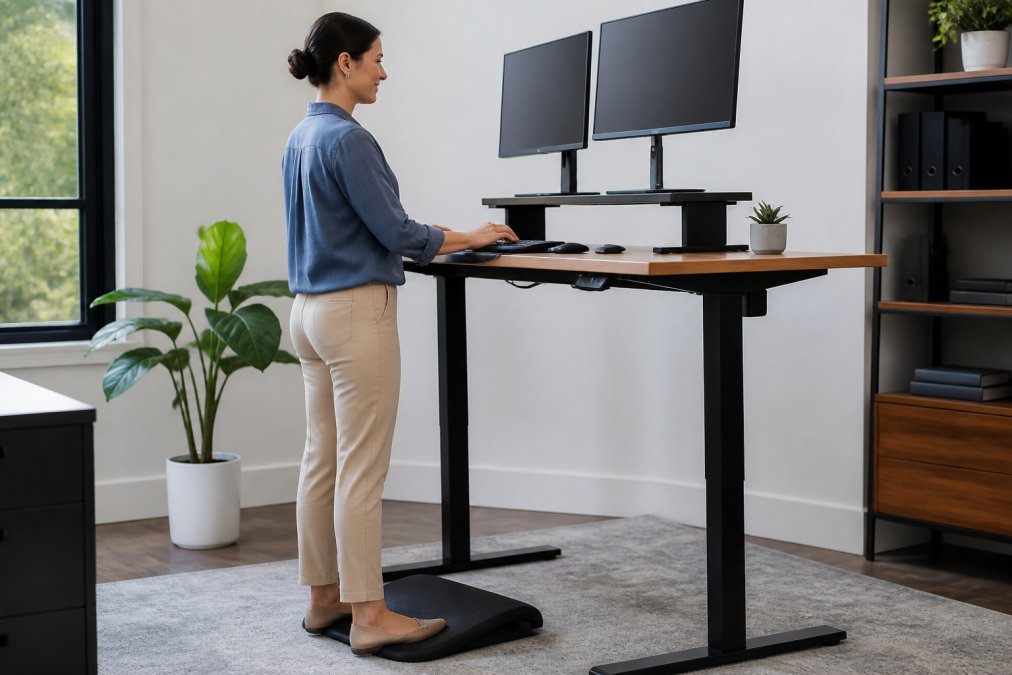
Monitor height is the first priority. Your screen should sit at eye level when you're standing with good posture. The ElevateSupport Adjustable Monitor & Laptop Stand (£11.99) raises your display to the correct height, preventing the neck strain that often develops when monitors sit too low.
Adjustable Monitor & Laptop Stand →
Footrests reduce leg and foot fatigue during standing periods. The ElevateSupport Memory Foam Footrest (£15.99) provides soft and supportive cushioning underneath your feet. The contoured design is suitable for everyday use underneath a desk or workspace.
Wrist support prevents repetitive strain during typing. The ElevateSupport Memory Foam Wrist Rest (£13.99) provides a soft memory foam cushioning surface for everyday computer use.
Lighting affects both comfort and productivity. Poor lighting causes eye strain, which leads to tension in your neck and shoulders. The ElevateSupport Monitor Light Bar (£19.99) provides adjustable brightness and colour temperature, reducing glare and eye fatigue during extended work sessions.
For winter months or cold home offices, the ElevateSupport Heated Desk Mat (£26.99) provides comforting warmth across your workspace, helping to keep hands warm during cold working days.
DSE Assessment Standing Desk Requirements and Compliance
Display Screen Equipment (DSE) regulations in the UK establish minimum ergonomic standards for workstations. These requirements apply whether you're working in an office or from home, and standing desks must meet the same compliance standards as traditional desks.
Under DSE regulations, your workstation must support proper posture and allow adjustment for individual comfort. A standing desk alone doesn't guarantee compliance, the entire setup must work together. Your monitor must be at arm's length distance and at or slightly below eye level. Your keyboard and mouse must allow your arms to rest at roughly 90 degrees.
Many employers now require DSE assessments for remote workers, which means your home office setup must meet workplace standards. A standing desk that wobbles or lacks proper stability can actually fail a DSE assessment because it creates postural strain rather than preventing it.
The assessment also considers accessories. If your monitor sits too low, no amount of sitting or standing improves your posture. If your chair lacks lumbar support, standing alone won't correct poor alignment. This is why ElevateSupport focuses on complete ergonomic solutions rather than isolated products.
Compliance also involves movement and variation. DSE guidelines specifically recommend breaking up static positions, whether sitting or standing, with regular changes in posture. A standing desk enables this variation, but only if you actually alternate between sitting and standing rather than standing rigidly for hours.
Common Mistakes When Switching to a Standing Desk
Most people make predictable errors when adopting standing desks, which undermines the benefits and leads to frustration or discomfort.
The biggest mistake is standing too long too quickly. Your body isn't adapted to prolonged standing if you've spent years sitting. Jumping from eight hours of sitting to four hours of standing causes foot soreness, leg fatigue, and lower back strain. Your body then associates the standing desk with discomfort, and you stop using it.
Poor setup is equally damaging. Many people place standing desks at the wrong height, forcing them into awkward postures.
Many people also underestimate the adaptation period. Your body needs 2-4 weeks to adjust to regular standing. During this time, you'll experience foot soreness and leg fatigue even if you're doing everything correctly. Expecting immediate comfort leads to abandoning the desk before your body has adapted.
Conclusion: Should You Make the Switch?
A standing desk is worth the investment if you're willing to use it correctly and invest in proper accessories. The desk itself is only the foundation, your actual comfort and health benefits depend on how you set it up and use it.
Frequently Asked Questions
Are there downsides to standing at a desk for long periods?
Yes. Standing continuously without movement can cause leg fatigue, lower back strain, and swelling in the feet. The 20-8-2 rule (20 minutes sitting, 8 minutes standing, 2 minutes moving) helps prevent these issues. Proper footwear, memory foam support, and regular position changes minimise discomfort. Standing desks work best as part of an active routine, not as a static replacement for sitting.
How long should you stand at a desk each day?
Most experts recommend alternating between sitting and standing throughout the day rather than standing for fixed blocks. Start with 20-30 minutes of standing per hour, then gradually increase. The key is movement and variety, avoid standing in one position for more than an hour. Use accessories like footrests and monitor stands to maintain proper posture during standing periods.
Do standing desks actually help with chronic back pain?
Standing desks can help, but they're not a cure. They reduce pressure from prolonged sitting and encourage better posture when combined with proper ergonomic accessories. However, relief depends on the cause of pain. Memory foam footrests, wrist rests, and monitor stands provide support. For chronic sciatica or tailbone pain, consult a healthcare professional alongside ergonomic adjustments.
What's the best standing desk accessory for someone with sciatica?
Memory foam footrests and adjustable monitor stands are most helpful for sciatica relief. Footrests provide soft cushioning underneath your feet. An adjustable monitor stand raises your screen to eye level. The ElevateSupport Adjustable Memory Foam Footrest (£26.99) or standard Memory Foam Footrest (£15.99) combined with the Monitor Stand (£11.99) create a supportive setup.